
Element Snap
Point, click, capture. Turn any element on a webpage into a high-quality image.
Add to Chrome — it's freeHow it works
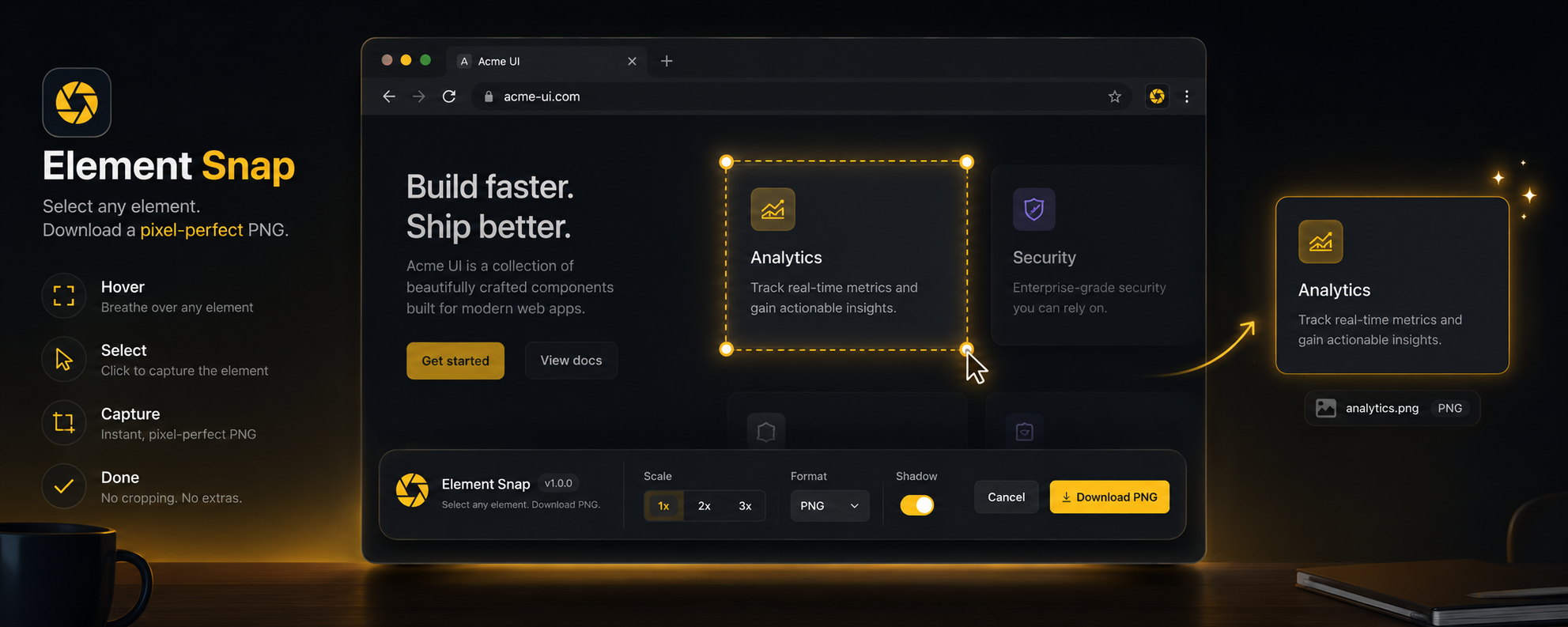
Click the toolbar icon, then hover any element to preview it.
Choose format, scale, background, and margin from the floating toolbar.
Download the image or copy it straight to your clipboard.
Features
Multi-format export
PNG for lossless quality, JPEG or WebP for smaller files. Transparent or white background.
Retina-ready scaling
Capture at 1x, 2x, 3x, or 4x. Sharp on any display from standard monitors to 5K Retina.
Shadow-aware
Automatically detects and includes box-shadow, drop-shadow, and text-shadow with proper padding.
Clipboard copy
Copy directly to clipboard. Paste into Figma, Slack, Notion, or any app — no download needed.
Batch capture
Detect and download all similar elements on a page at once. Great for design systems.
Custom filenames
Templates like {tag}-{page}-{date} to organize captures automatically.
Your data stays on your machine
Every capture is processed locally in your browser. No images, page content, or browsing data ever leave your device.
Read the full privacy policy →